
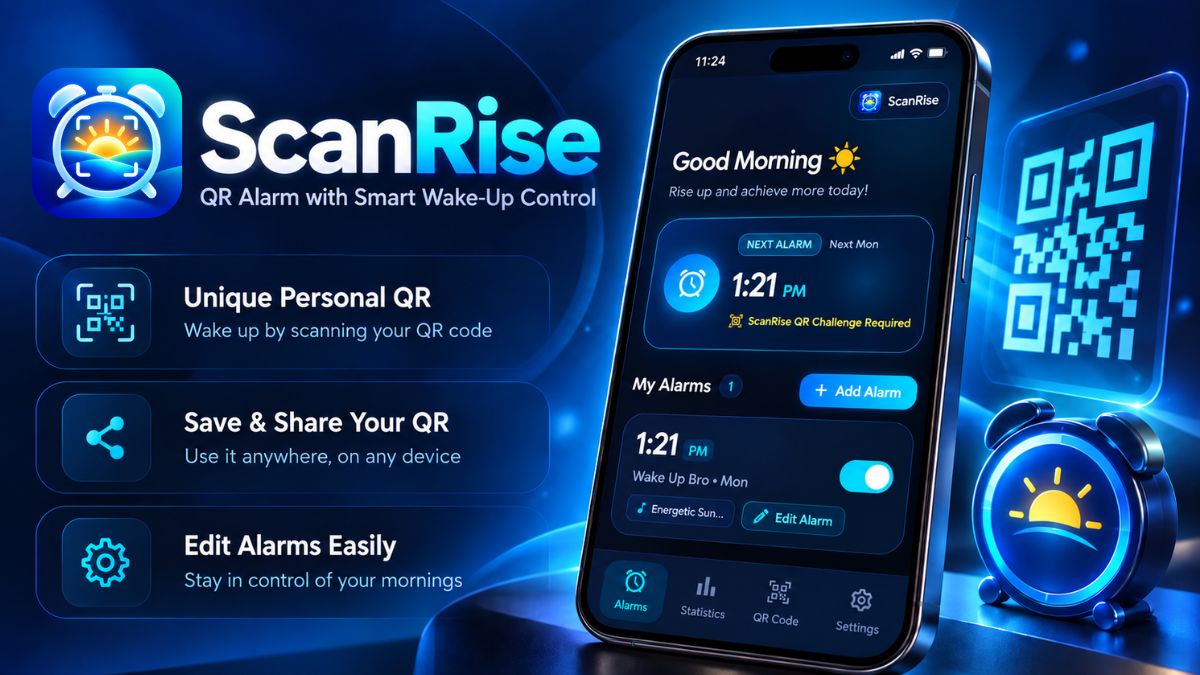

Scan Rise smart QR barcode alarm clock app banner
Scan Rise app icon on Samsung Galaxy Store
Live on Galaxy Store

Scan Rise

Smart QR & barcode wake-up alarm clock that defeats the snooze button for good.

Overview & Philosophy

Scan Rise is a focused, intentional alarm clock application developed by Sufi Zady Media. Designed for chronic oversleepers and individuals struggling with grogginess, Scan Rise turns waking up into a physical accomplishment.

Instead of allowing half-conscious taps on a soft on-screen button, Scan Rise requires you to physically step out of bed and scan a designated QR code or commercial product barcode located across your living space (e.g., your bathroom mirror, coffee machine, or kitchen counter) to dismiss the alarm sound.


What the App Does

Scan Rise ensures you are physically upright and alert:

  • Barcode Scan Verification: You register any common household barcode or generated QR code as your "Wake-Up Mission". When the alarm rings, scanning that specific code is the only standard way to stop the tone.
  • Uncompromising Volume Override: Utilizes Android's dedicated alarm audio stream to bypass silent and vibrate modes, ensuring your selected ringtone sounds at the desired intensity.
  • Flashlight Assistance: Built-in one-tap camera torch lets you illuminate your target barcode in pitch-dark mornings without turning on overhead lighting.
  • Safety Emergency PIN: A customizable backup PIN allows alarm dismissal if a barcode is accidentally misplaced or rendered unreadable.

Key Features

  • Universal Barcode Compatibility: Works with QR codes, UPC-A, EAN-13, Code 128, and Code 39 formats found on common household products.
  • Zero Annoying Full-Screen Ads: As a \$0.99 paid app, Scan Rise provides a clean, ad-free environment where nothing distracts or delays your morning routine.
  • Gradual Volume Escalation: Optional crescendo feature starts gently and rises steadily to prevent startling panic while guaranteeing you wake up.
  • 100% Offline Capability: Alarms and barcode matching operate entirely on-device without requiring an internet connection.
  • Samsung One UI Optimization: Detailed in-app configuration guides to keep the alarm active through deep sleep battery modes.

How to Get Started & How It Works

  1. Install Scan Rise: Purchase and download Scan Rise (\$0.99) from the Samsung Galaxy Store.
  2. Select Your Target Code: Choose a product located away from your bed (e.g., toothpaste in the bathroom or morning tea in the kitchen).
  3. Register the Code: In Scan Rise, create an alarm and tap "Register Barcode". Scan your chosen item once to store its digital signature.
  4. Set Time & Emergency PIN: Choose your wake-up time, select active days, and set a backup 4-digit PIN for emergencies.
  5. Morning Routine: When the alarm sounds, walk to your target item, frame it with your camera scanner, and begin your day awake and on time.

Main Use Cases & Target Audience

  • Chronic Snoozers: Breaking the cycle of repeated snooze taps that cause morning tardiness and morning brain fog.
  • Early Morning Commitments: Making critical morning flights, fitness workouts, hospital shifts, or early business calls.
  • Audience: Shift workers, university students, entrepreneurs, heavy sleepers, and anyone seeking a disciplined, punctual morning routine.

App Navigation & In-App Sections

  • Alarm Dashboard: Clean toggle switches for all active and recurring alarms.
  • Alarm Editor: Time dial, repeating day selectors, ringtone picker, vibration toggle, and wake-up mission selector.
  • Scanner Screen: Instant camera viewfinder featuring an integrated flashlight button and emergency dismiss prompt.
  • Optimization Guide: Clear device-specific steps to ensure reliable alarm ringing on Samsung One UI and Android.

Camera Permission & Privacy Protection

Camera access is handled with rigorous security and privacy:

  • Volatile Memory Only: Camera frames are scanned in real-time RAM solely to detect barcode line sequences.
  • Zero Video or Photo Storage: The app never takes snapshots, records video, or writes image files to your phone's storage.
  • Zero Cloud Connectivity: Scanning happens 100% locally on your phone without network transmission.
  • Permissions: Camera permission is requested strictly to enable barcode recognition. Exact Alarm permissions are requested to trigger on time.

Troubleshooting & Frequently Asked Questions

How do I prevent Samsung One UI from delaying my alarm?

Navigate to Settings > Battery and device care > Battery > Background usage limits and add Scan Rise to "Never sleeping apps". Also set app battery usage to "Unrestricted".

What if my registered barcode is damaged or lost?

Scan Rise includes an "Emergency Dismiss" option directly on the ringing alarm screen. Entering your chosen 4-to-6 digit backup PIN silences the alarm immediately.

Does the alarm work when the phone is in Do Not Disturb mode?

Yes. Scan Rise utilizes Android's dedicated alarm audio stream, which breaks through system Do Not Disturb and silent settings when alarm permissions are enabled.

Related Titles by Sufi Zady Media

Period Tracker: Cycle Bloom icon

Cycle Bloom

Health & Wellness

100% private menstrual calendar and ovulation tracking.

View Cycle Bloom →
Arrow Out Puzzle icon

Arrow Out Puzzle

Spatial Logic

Untangle arrow mazes in a serene, relaxing puzzle atmosphere.

View Arrow Out →

Quick Specifications

App Title Scan Rise
Package Name com.sufizadymedia.scan.alarm
Platform Android (Galaxy Store)
Category Utilities / Alarm
Cost \$0.99 (Paid)
Ad Policy Zero Ads
Developer Sufi Zady Media